Scaling Cases • October 1, 2026 • 6 Min Read

Thin Stroke Challenges

Addressing the digital deterioration of delicate lines, optical dropout during reduction, and geometric safeguards for vector artwork.

Vector Stroke Scaling Line Weight Fidelity Sub-Pixel Thresholds
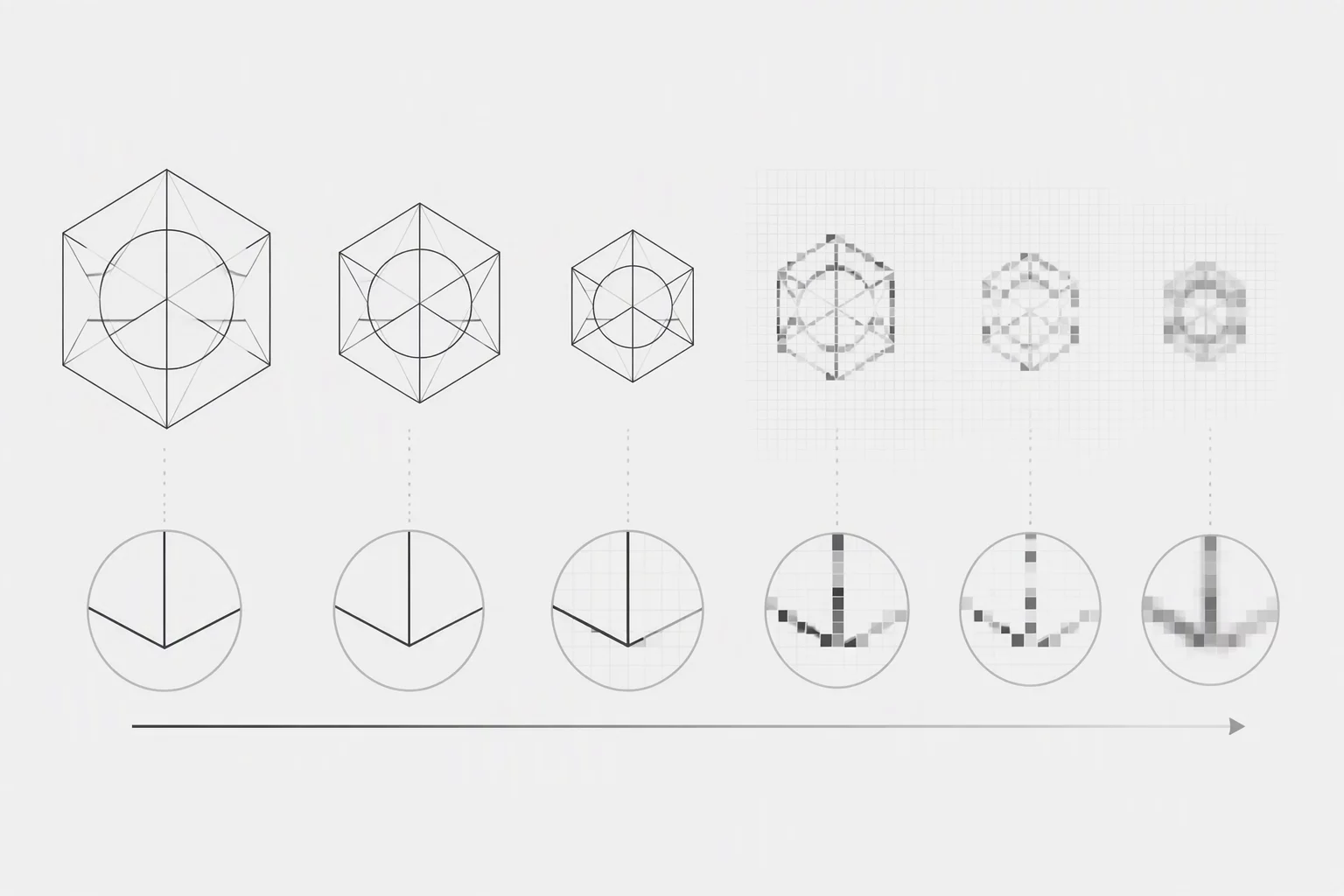
Thin stroke scaling challenges diagram showing vector line degradation

The Sub-Pixel Dropout Threshold

When vector artwork undergoes significant downscaling, ultra-fine lines inevitably encounter sub-pixel rendering limits. In environments like CorelDRAW, setting an outline to hairline or 0.25 pt produces elegant and razor-sharp boundaries at native working scales. However, when the graphic scales down for digital displays, preview thumbnails, or compact UI containers, the physical line thickness drops below a single hardware pixel. At that scale, rasterizers attempt anti-aliasing across fractional pixels, diffusing the contour into faint gray bands or dropping it altogether.

This breakdown occurs because vector outlines lack intrinsic optical sizing unless deliberately constructed with minimum boundaries. Without an explicit threshold floor, an intricate hairline contour completely dissolves, leaving an unintended gap in the composition. Graphic designers frequently misdiagnose this effect as a display glitch, whereas the true cause is geometric: the vector path simply ran out of physical pixels to occupy. Establishing absolute stroke minimums before exporting safeguards visual integrity across every scale.

Hierarchy Framework

Stabilizing Scaled Line Weights

Explore our outline hierarchy documentation or contact our editorial desk to evaluate line retention methodologies across complex vector artwork.

Contact Our Desk

Mitigating Anti-Aliasing Bleed

Beyond total stroke disappearance, hairline strokes situated close to adjacent vectors trigger anti-aliasing bleed. When two adjacent paths share subtle 0.5 pt strokes, the anti-aliasing algorithm blurs their transition edges against the background. Instead of reading as clean structural divisions, the lines blur together, allowing adjacent color fills to contaminate the boundary and muddying the visual silhouette.

Production Benchmark: Critical interior outlines must maintain a clamped optical minimum of 1 physical pixel (or 0.75 pt) when scaled below 64px bounding boxes, preventing anti-aliasing blur and optical loss.

Resolving this challenge requires establishing an optical threshold hierarchy. Rather than applying a single uniform scale factor across an entire illustration, delicate inner linework must be separated into dedicated visual tiers. By enforcing a minimum line thickness on internal accents while letting outer perimeter contours scale smoothly, your vector artwork retains crisp definition across all reproduction environments.

Technical Summary

Best Practices for Fine Line Longevity

  • Define Minimum Thresholds: Maintain a minimum stroke weight of 0.75 pt to 1 pt on functional linework to avoid fractional pixel dropout on standard resolution displays.
  • Segregate Stroke Scaling: Separate boundary contours from delicate inner hatch lines so fine details can clamp to fixed minimum widths during drastic scale reduction.
  • Boost Contrast Values: Elevate value and luminance contrast between thin strokes and surrounding fills to compensate for anti-aliasing diffusion.

Frequently Asked Questions